fortitude-86b38c
Brave丨Fortitude usage tutorial
Preparations before use (please read carefully when using for the first time)operate)
Since the tool is self-developed software, some anti-virus software may cause false positives or accidental killings. If you encounter such a prompt, please turn off the anti-virus software or add this program to the trust list.
Self-developed software may trigger the protection mechanism of security software. It is normal for virus reports to appear, so please feel free to use it.
necessaryoperate:
1. Click on Operation to turn off antivirus ↓

2. Click ↓ to operate the runtime library

3. Click to prevent flashback during operation↓

After completing the above steps, continue to inject according to the tutorial
register:

Enter the official website and operate as shown in the figure


pleaseKeep a backup copyownactivation codeas well asAccount information, cannot be retrieved after being lost! ! We do not provide any account services!
Subsequent websites will not help back up your activation code information, please do it yourselfsave!
After registration and activation, the account will no longer be associated with us. All account information will be maintained and used by you alone. Please consciously abide by the rules of each menu!


The administrator runs the injector downloaded from the official website,Requires installation for the first time, just follow the picture below to install it.
It is recommended to choose the default installation path. Do not be clever and change the path (it may cause trouble for you to change Chinese/Lua in the future)

After the installation is complete, the injector will automatically open and enterGame main page(chooseOnline mode/story modepage)
It takes some time to enter for the first time. Just inject as shown below.

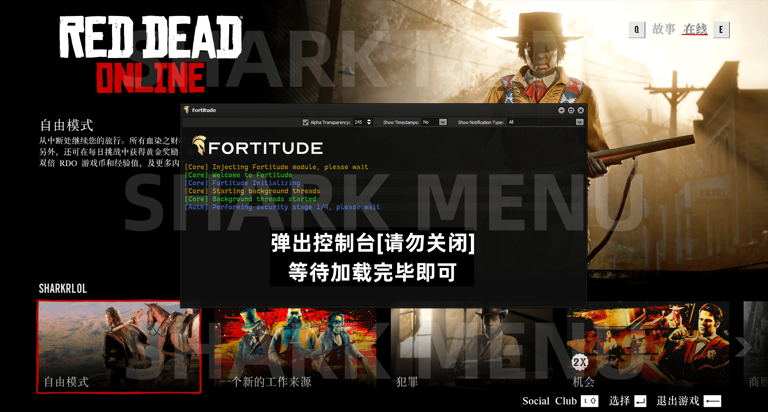


F5Expose/hide menu
Arrow keys↑ ↓or8 2Control up and down
Arrow keys← →or4 6Control left and right
Enter key/Ent/5Sure;Backspace/Back/0return
F12Set shortcut keys for functions