issue-reinstall
Replace the pot with one click and reinstall it

Warning: Be sure to back up important data! Data loss is irreversible!
Software introduction
EasyRCV3 [Easy Reload Computer] is the first system reinstallation software for young people. It can realize the one-click reinstallation of any Windows system. It is currently the simplest and fastest system reinstallation software. EasyRC gets rid of the traditional cumbersomeness of relying on optical drives, USB disks and other media. The operator does not need any technical foundation and can realize fool-proof computer system reinstallation anytime and anywhere! Official website:
Software function
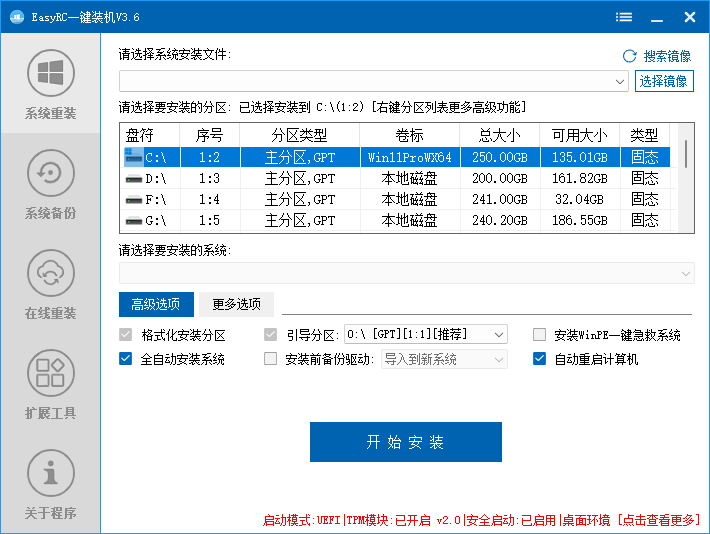
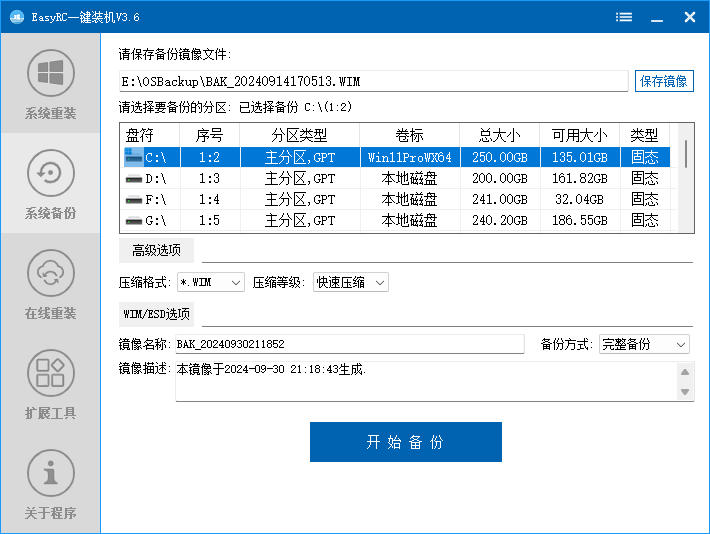
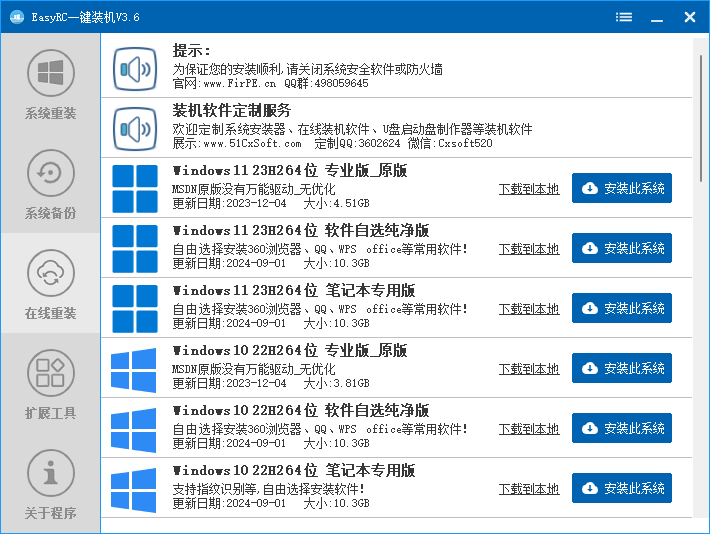
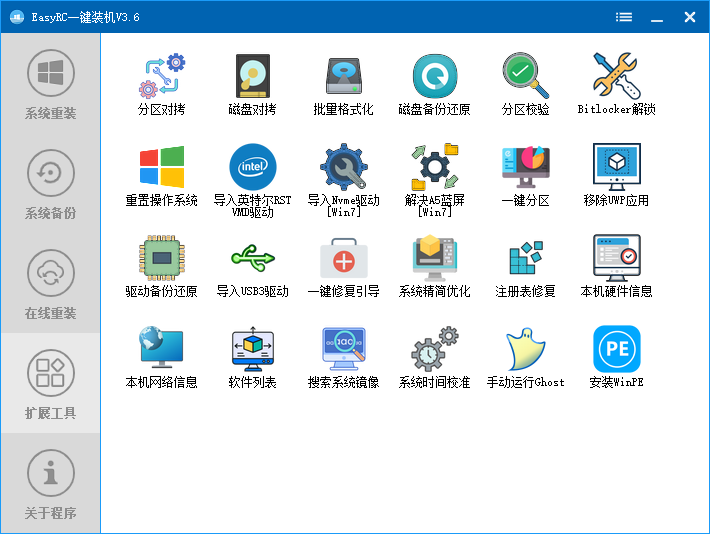
Other functions introduced:
Support turning off Win11 automatic encryption Bitlocker partition
Supports optimization and adjustment of the restored system;
Support [customized running interface];
Comes with USB3.X/11th-14th generation Core VMD driver/Nvme driver patch, which can be injected when restoring;
Supports installation of win7X64 under pure UEFI;
Built-in original Trojan removal technology;
Support online reinstallation of Windows system in PE environment;
Supports installation of one-click first aid system
Software screenshot
Other instructions
About customization
Starting from EasyRC-V2.0.0, OEM customization is supported for customization: software name, icon, online reinstallation system download address, etc.
Update diary
Download address:
EasyRCV3.6.3.0 download address:
File verification information:
File: EasyRCV3 one-click installation V3.6.3_complete offline version_with network.7z
Size: 960066457 bytes
MD5: BD4A23CA101A45EC53DD5CC41ABB9AB9
SHA1: 7AF00E686175227ECF7ABDB1DD5F29012AE67984
CRC32: A772D2AB
File: EasyRCV3 one-click installation V3.6.3_standard version.7z
Size: 26304658 bytes
MD5: A9D94864097326AC779E6A71FA86500B
SHA1: A16385BE27EFCC4EA960C4772F4584D6F596E717
CRC32: 95F94F33
How to eat
FAQ
ask:What system formats does EasyRC support?
Answer: System installation supports GHO WIM SWM ESD ISO format, backup and restore supports GHO WIM ESD format (located in backup and restore).
Q: What systems does EasyRC support? Does it support ISO?
Answer: Supports installation of WinXP/Win7/Win8/Win8.1/Win10/11 and supports ISO systems.
Question: What system does EasyRC use for online reinstallation? Is it Ghost? Is it pure?
Answer: We provide a variety of system sources, including Microsoft's original Windows system and UJieyi. If the system contains bundled software, it will be marked as free for the user to choose.
ask:How to use WinPE module?
Answer: Put EasyRC.WIM and EasyRC in the same directory, which can be found indesktop systemInstall the system directly. There is also no need to download this module separately, the program will automatically download it from the server.
ask:Are the files on other disks still there after reinstalling the system?
Answer: Of course, reinstalling the system only reinstalls the system disk [usually C drive], unless you format it yourself ~( ̄▽ ̄~)~
ask:What language is EasyRC developed in?
Answer: Currently using Yi Language.
ask:What should I do if it prompts "Windows Setup cannot configure Windows as the computer's hardware" when installing the system?
Answer: Enter WinPE and repartition (GPT format, there must be an EFI partition)
ask:Is EasyRC free now? Why does it say there is a fee?
Answer: EasyRC is free forever, but you need to pay for using the customized software information function.
ask:Is the system reinstalled by EasyRC genuine?
Answer: No, you need to activate it yourself after reinstalling the system. For long-term use, please purchase
Microsoft
Genuine.