lexis
Lexis usage tutorial
Preface
Keep your activation code and registered account password well. If you lose it and cannot retrieve it, you will be responsible for the consequences.
This tutorial only demonstrates the normal steps. If there are any problems according to the tutorial operation, please contact your seller first to solve the problem.
Please read all contents and tips carefully, and if you encounter problems, try to solve them yourself first (such as with the help of AI tools)
The tutorial may be time-sensitive. If it is not applicable, please contact me in time.
Hardware detection
The following steps are a solution to evaluate your hardware and system without performing complicated operations/reinstallation. If you are not satisfied, you can choose to give up or solve it manually.
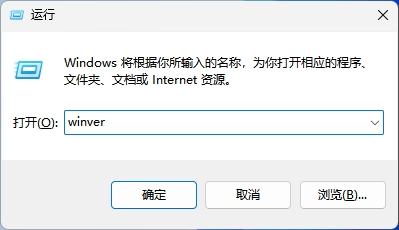
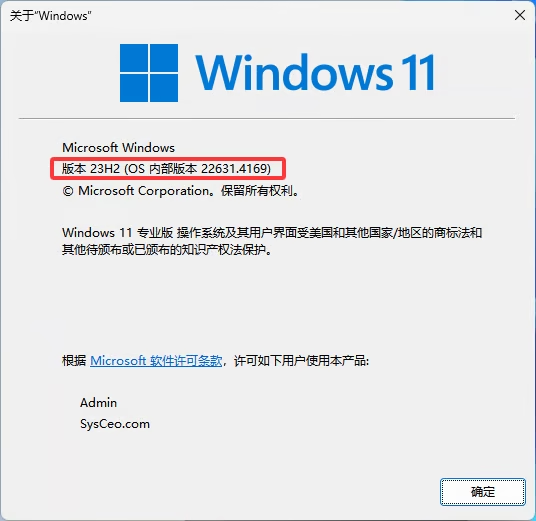
1. Presswin+rand enterwinverPress Enter, the following are the available systems:Win10 Only 22H2 / Win 11 22H2 and above (if not, if you really want to play, you can find a way to reinstall the system, you can easily do it with a USB flash drive)
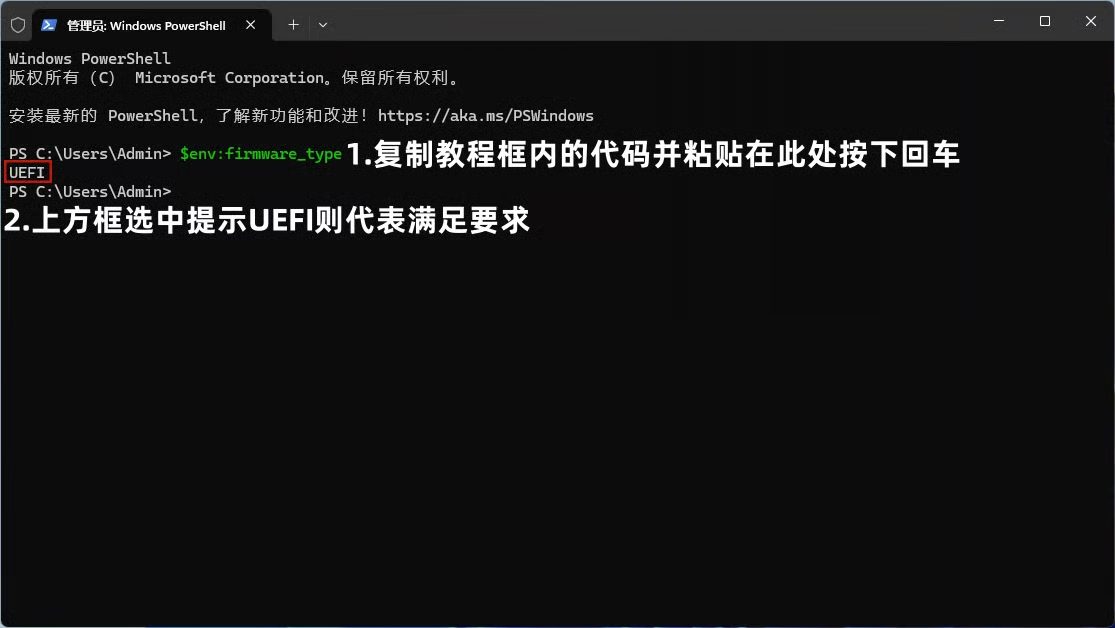
2. EnsureBIOSforUEFImodel. Mouse overTo the right of the code block below, clickcopy to clipboard
$env:firmware_type
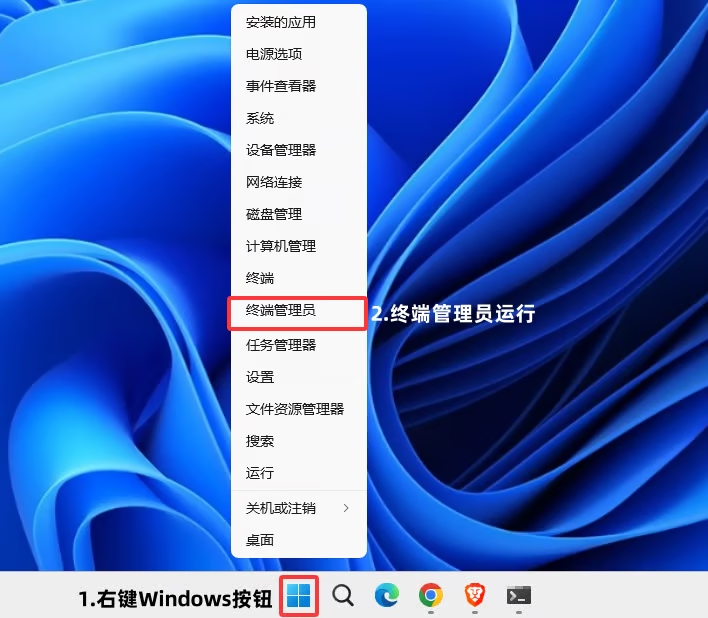
Right-click the Windows Start menu in the lower left corner of the screen - clickTerminal Administrator (Windows PowerShell [Administrator]), right-click the black window - then press Enter to make sure it is UEFI (if not, you can reinstall the system or use a tool to change it, please refer to here (it is recommended to have a USB flash drive + back up important data)
Menu status
Necessary environment
- Make sure Secure Boot is disabled, Click to see how
- Finish GTA5 general settings
- This menu must remain
Enable BE anti-cheating(Open and log in to the Rockstar launcher- upper right cornerset up- turn upBattlEyeandenableBattlEye(Default yellow means open) - Turn off all anti-virus software (If you confirm that it has been closed cleanly, please ignore it) /
Close debugging software such as CE/Turn off in-game overlay(N Card/MSI/Game Plus/KOOK/Oopz/Discord/ReShade, etc.) / Uninstall Tencent ACE anti-cheat(Be sure to uninstall and restart the computer after uninstalling. If you do not play Tencent games or do not have ACE anti-cheating on your computer, ignore this article), Click to view the tutorial on uninstalling Tencent ACE anti-cheating- Turn off Windows kernel isolation
- Install Runtime library collection (Download - run - continue all the way - wait patiently for a few minutes, please ignore if you have installed it before)
- run once lazy script (Please ignore if you have run it before)
register
- The account and password used to register any menu have nothing to do with the in-game ones. Choose a unique and easy-to-remember one that suits you. It is not recommended to enter both your QQ number and other information that is easily stolen.
- To register any menu it is better to just use
Number + letter combination, the length should be more than 8 characters, especially do not enterChinesespaceandChinese symbols, and very few menus do not supportEnglish symbols - Please keep all relevant activation codes/card passwords/account information by yourself and do not disclose it. Some menus do not have password retrieval services, and our store has no obligation to provide related escrow services (temporary storage/just for everyone's welfare, please do not rely on this service). Any consequences caused by the loss of relevant data are your own responsibility.
- After registration and activation, the right to interpret your account belongs to this software development team and has nothing to do with me. Please strictly abide by the rules (some things that require my help, such as changing the machine code, are a kind of additional benefits. Since our store is a purchasing agency, please try to complete it yourself). Any consequences caused by violating the software rules are your own responsibility (for example, most menus are prohibited from sharing/second-hand account handling)
If you cannot access the official website directly, you can try usingScientific Internet, if you still cannot enter the official website to complete the registration operation using Scientific Internet, please follow the instructions below.Error node promptTry again after the operation. If you still cannot log in to the official website, please do not use Lexis.
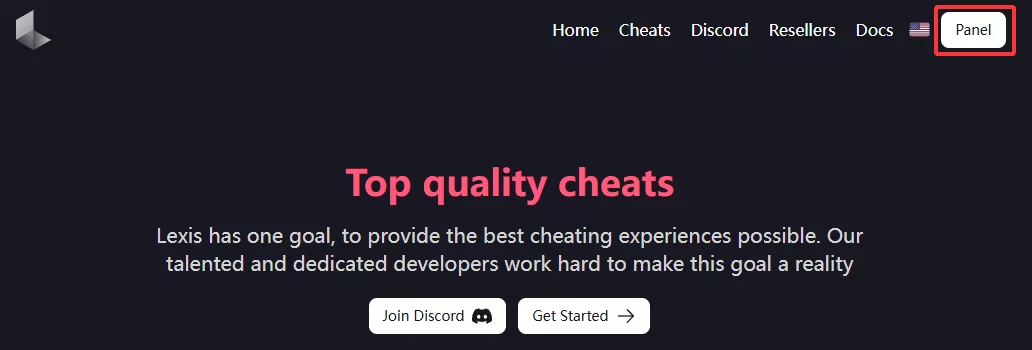


please Keep a backup copy own activation code as well as Account information , it cannot be retrieved after it is lost!! We do not provide any account services!
Subsequent websites will not help back up your activation code information, please do it yourself save !
After registration and activation, the account is no longer associated with us. All account information is maintained and used by you alone. Please consciously abide by the rules of each menu!
activation
Jumping to the login interface means the registration is successful, enter the newly registered account number passwordClick Sign In Just log in

download
Always develop a good habit: do not download any program to a folder containing Chinese/Chinese symbols/strange characters. This may cause some programs to fail to run. It is also recommended to put individual programs/compressed packages into separate folders to prevent some programs from releasing many unnecessary files or decompressing too many files that affect the cleanliness.
- Installer download
- Official website download
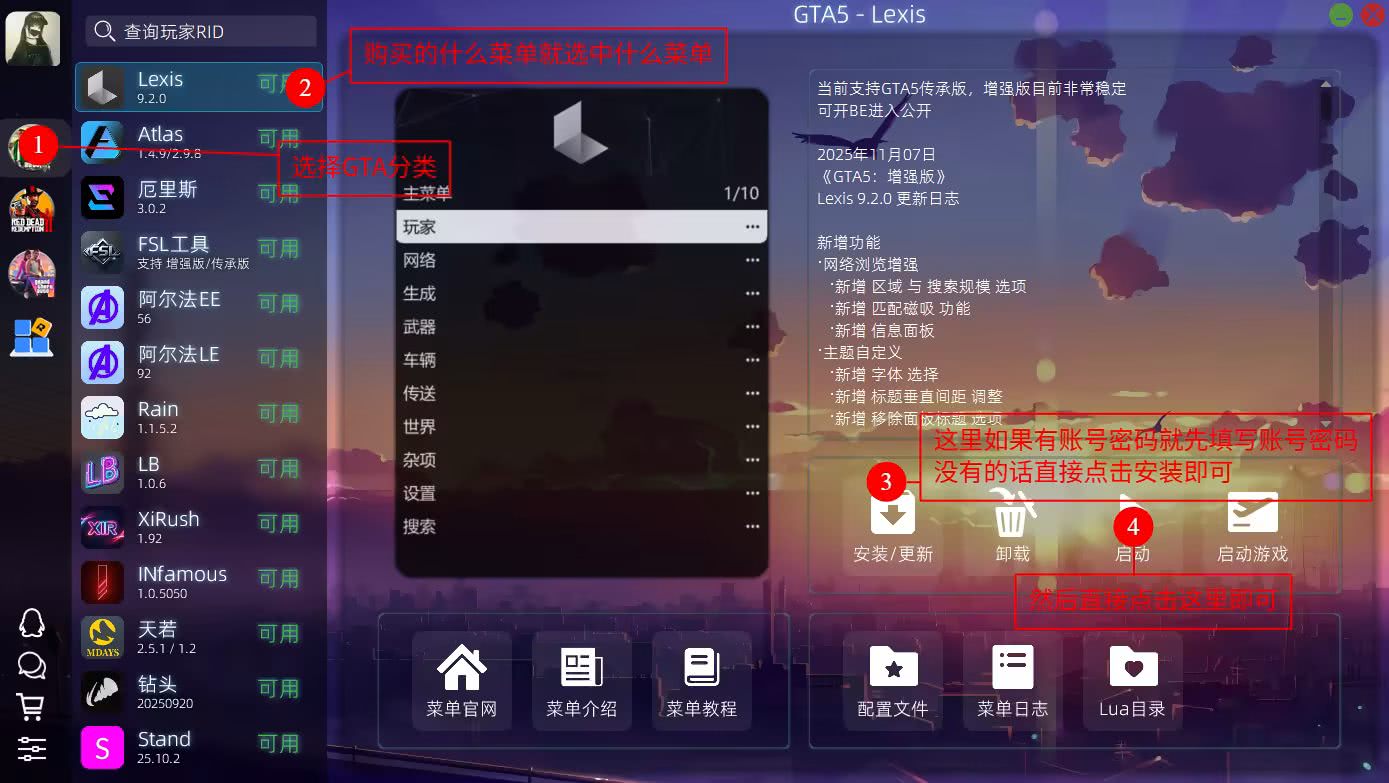
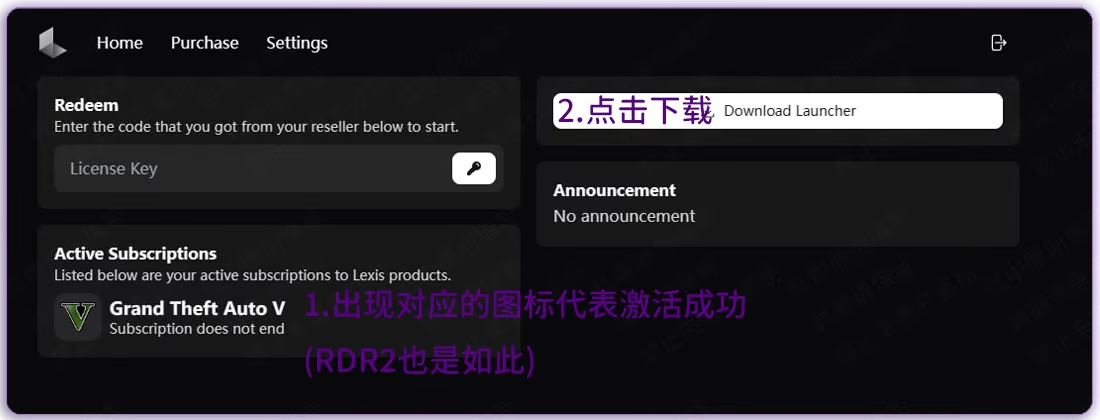
injection
against the downloaded installer Right click - Run as administrator
enter account number password and Log in
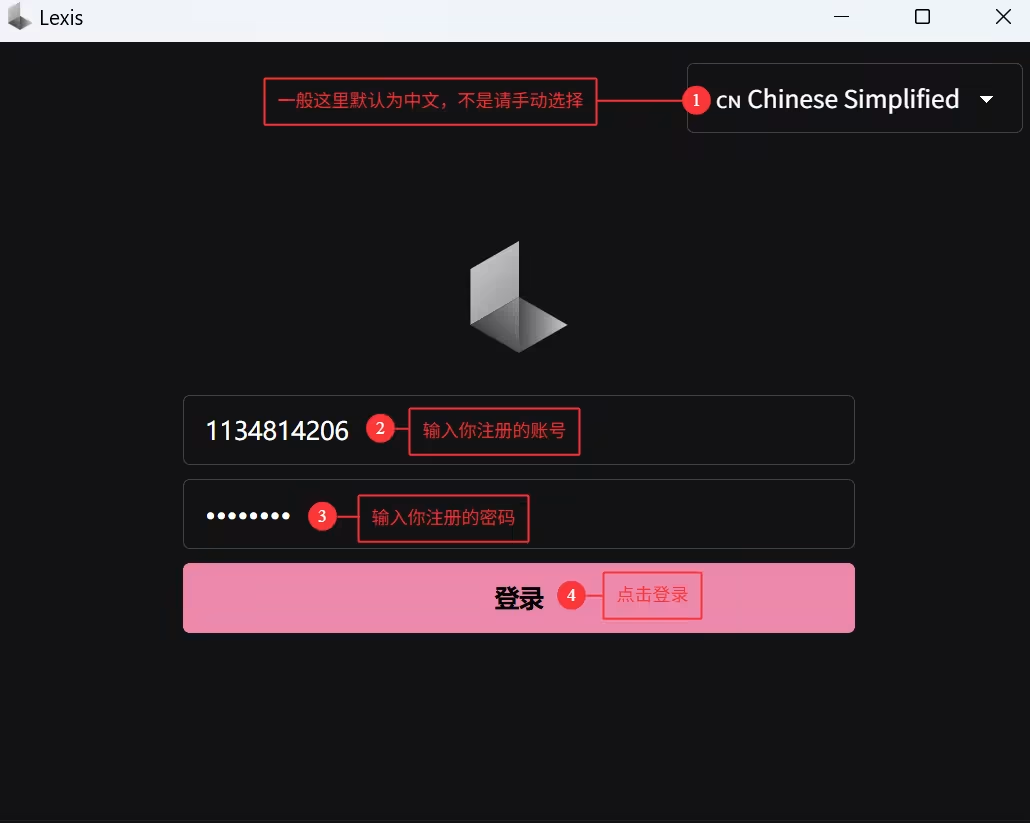
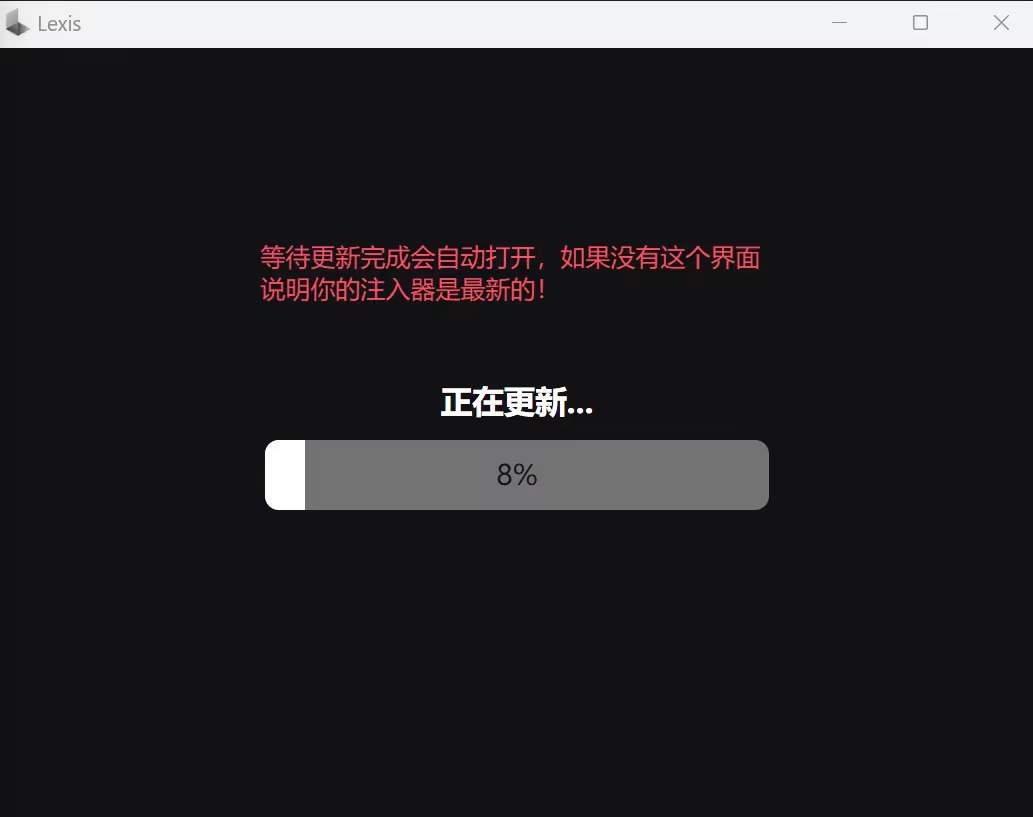
If the following figure appears Just wait for the update to complete (If there is no update, ignore this article)
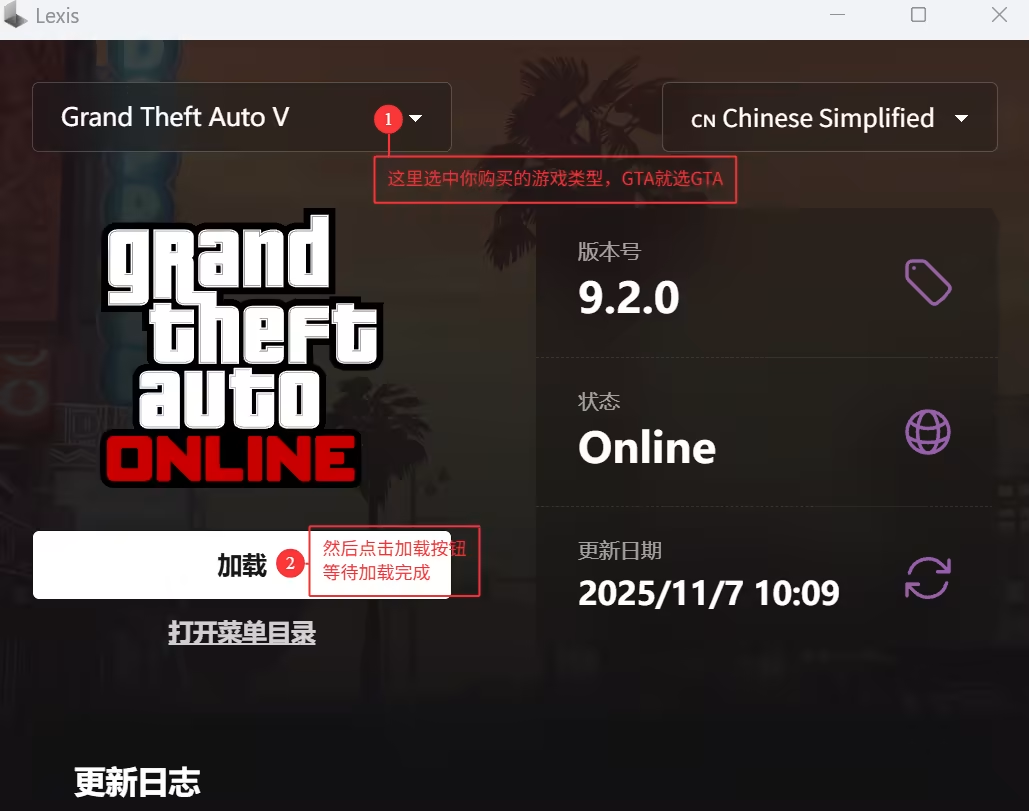
Select in the upper left corner GTA 5 , click below load button
and wait Loading successfullyorRestart tips
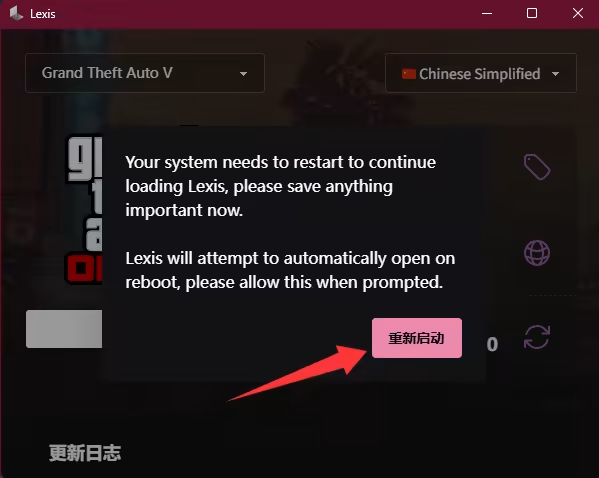
if it does not appear Restart tips Just take the next step
Appear Restart tips After restarting the computer, open the software and continue with the same steps.
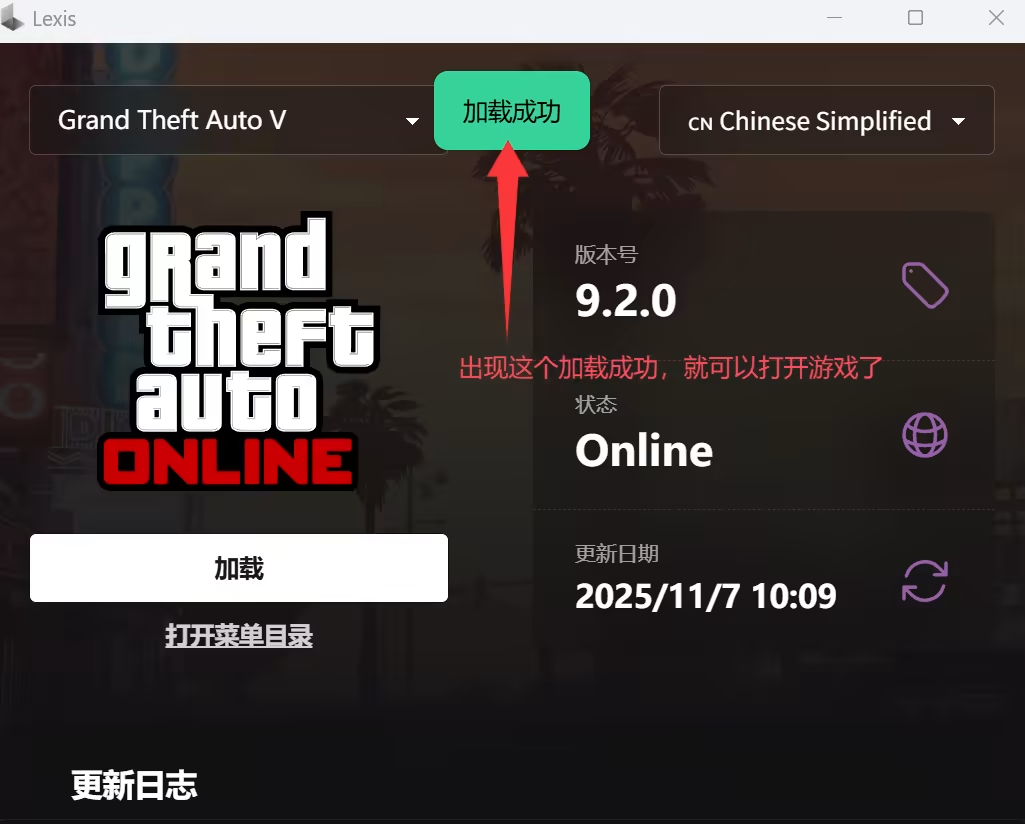
Please wait for a while after clicking to load.
until it appears Loading appears successfully Then Start the game
After starting the game, it will be automatically injected The information bar in the upper left corner of the game appears, indicating success.
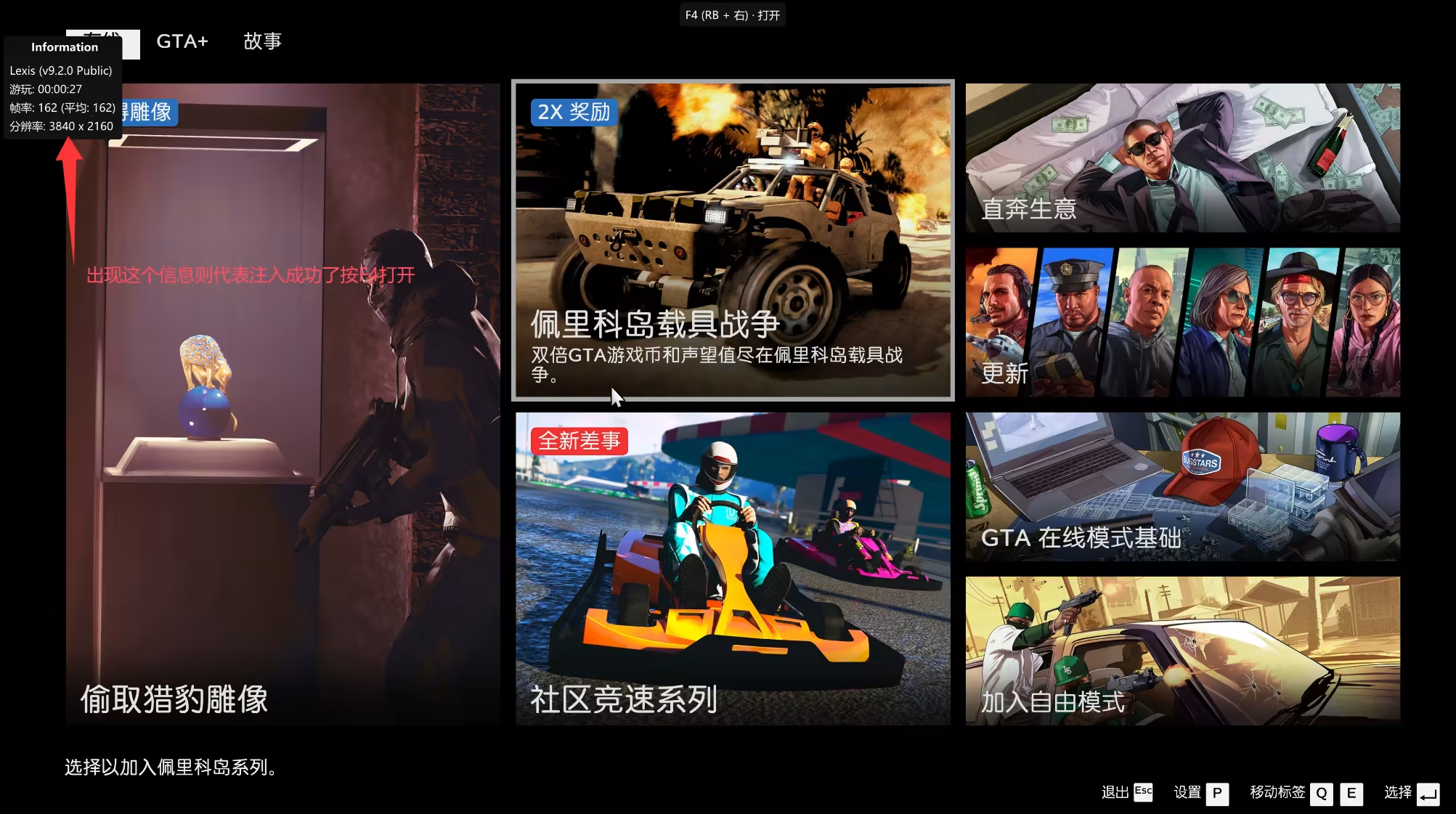
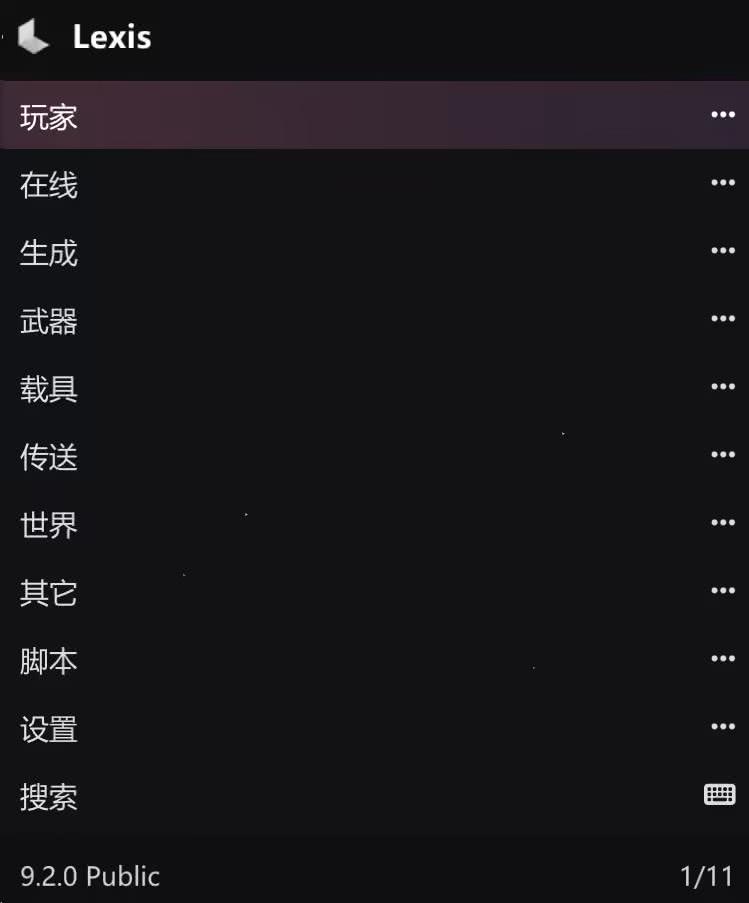
If your interface is not in Chinese, please scroll down to view the Chinese setting tutorial.
When the F4 call hidden prompt box appears above the game, it means the injection is completed.
Suggestion: Enter story mode first, then enter online mode through story mode
If the injection fails
Check out the following tutorial and ignore this if the injection is successful.
use
F4Expose/hide menu
Arrow keys↑ ↓or8 2Control up and down
Arrow keys← →or4 6Control left and right
Enter key/Ent/5Sure;Backspace/Back/0return
F12Set shortcut keys
Error node prompt
After 2024.12.14, some users may be prompted that they cannot log in because of the wrong node when injecting. This solution can solve your problem.
This code checks the Windows system settings to calculate the likelihood (0-100 points) that the system is located in mainland China:
System locale (30 points for Simplified Chinese)
Time zone (UTC+8 scores 20 points)
System language (25 points for zh-CN)
Character set (15 points for GB2312/GBK)
Keyboard layout (10 points for Chinese)
All scores are added up to a maximum of 100 points. The higher the score, the more likely the system is to be used in mainland China.
Set Chinese
If you useG installerIf installed, it will open in Chinese by default.
Download Chinese
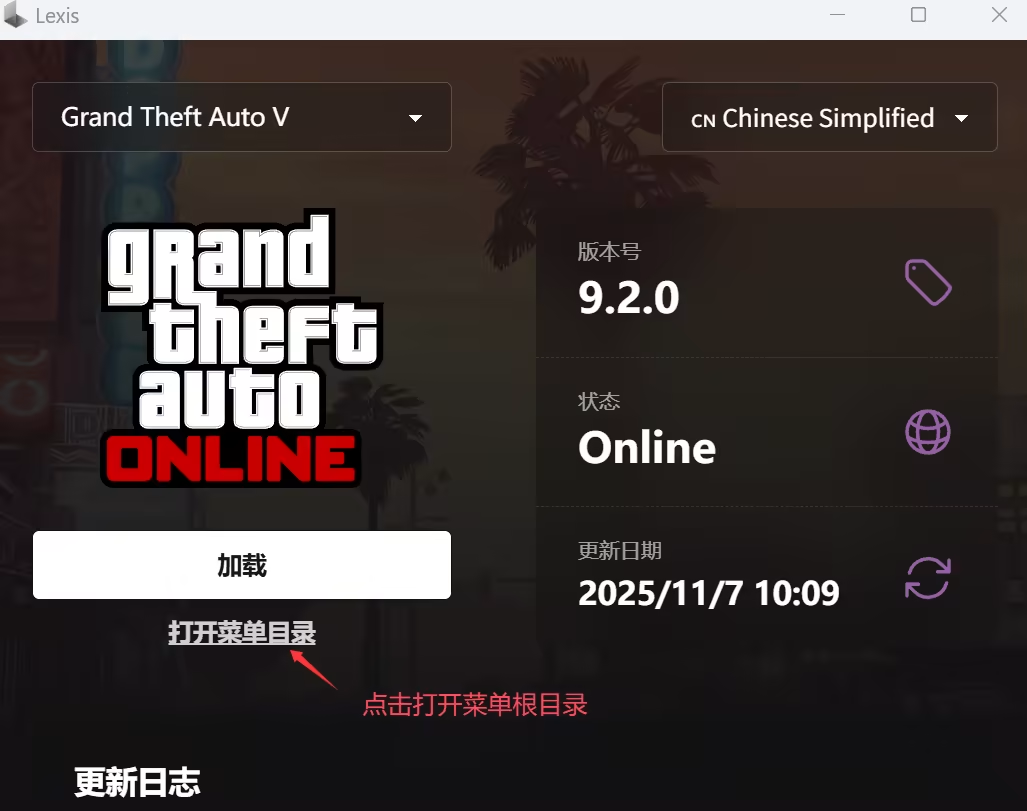
Remember to unzip it
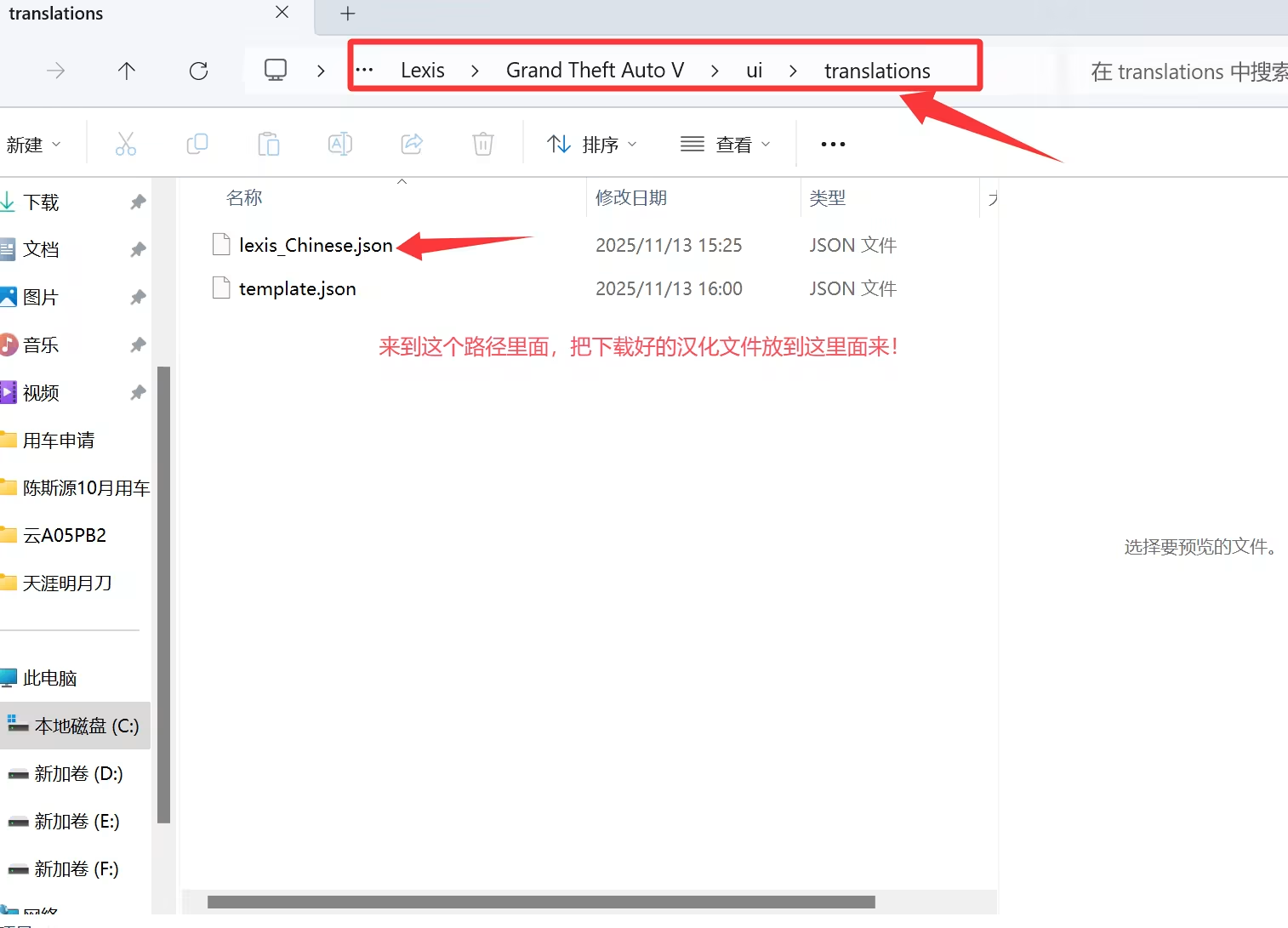
After the injection is successful, proceed as shown:
Settings→Translations→Chinese→Load
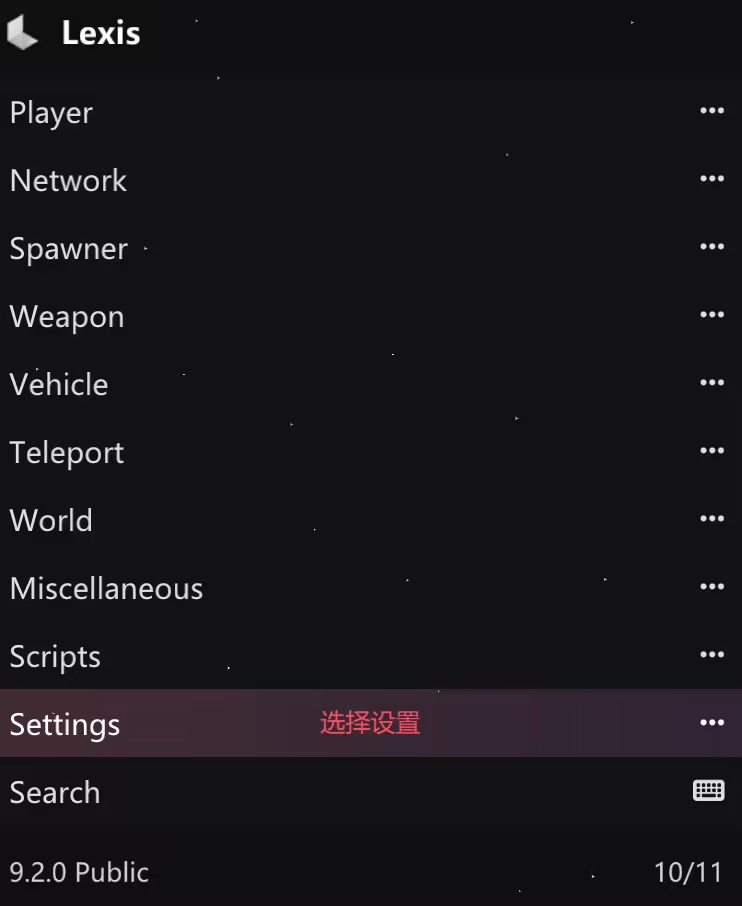
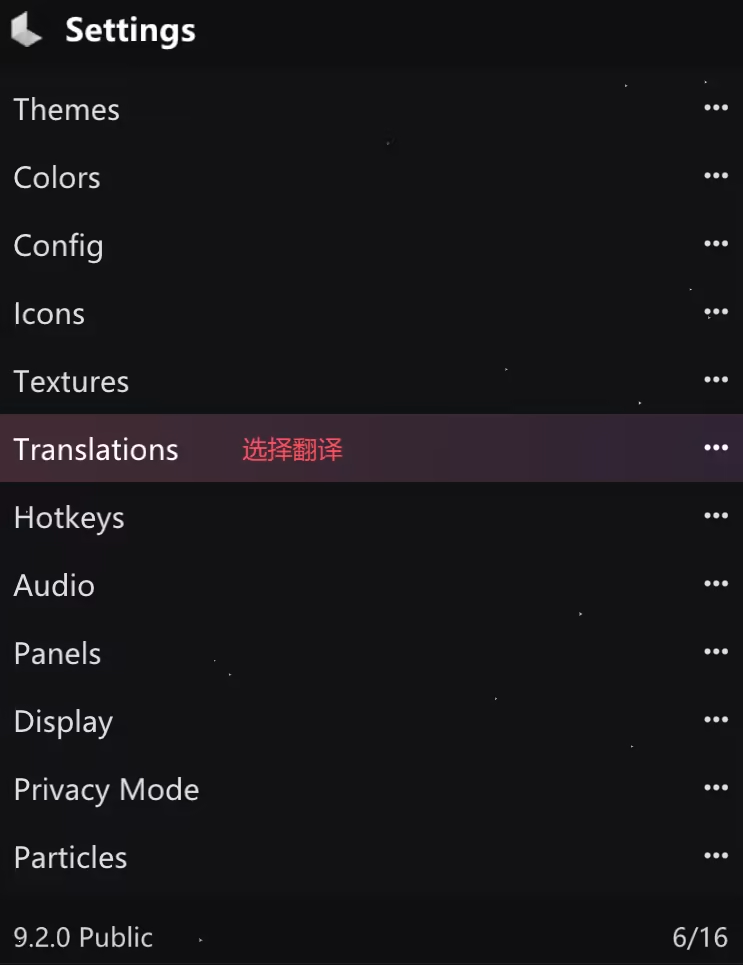
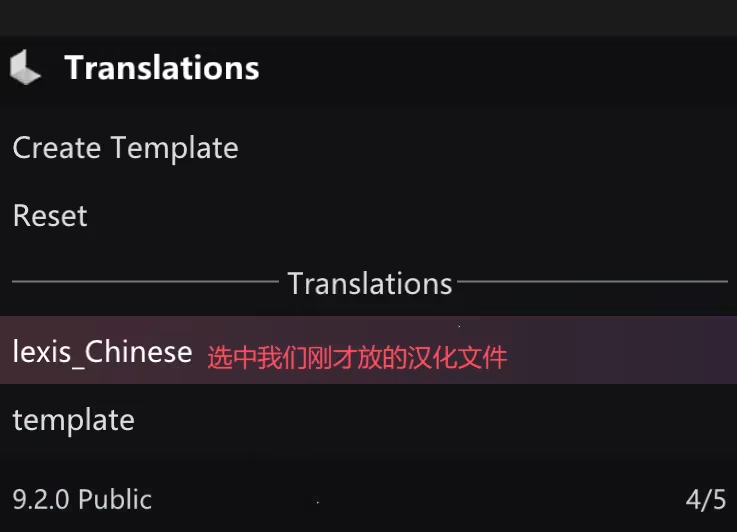
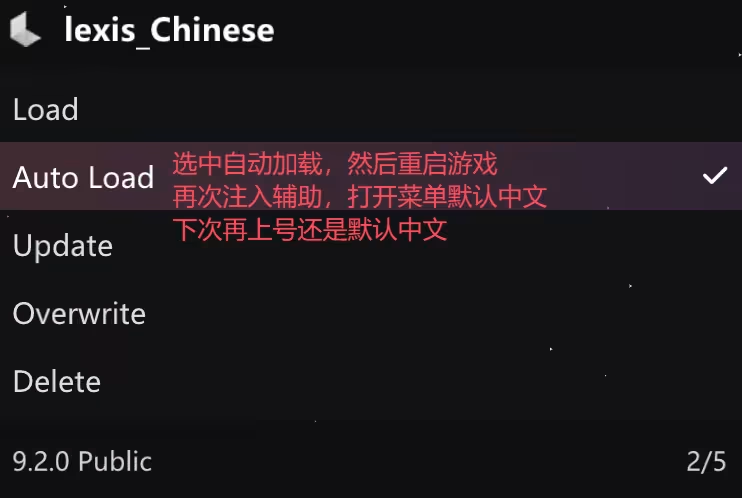
renderings
feedback
existAny problems using the process/Want to add new features, you can explain to us, we will give feedback to the development
Things to note
If you finish using the menu and want to play other games, you must restart your computer before playing! Otherwise, you will be responsible for the consequences!