issue-spoofer-5b7f3c
JRFiveM machine code
Eulen players cannot use this machine code. Please consider it before placing an order.
JR usage tutorial
Antivirus settings
Uninstall everything from your computerAntivirussoftware(Computer Manager 360 Master Luetc)
Close the computerComes with antivirus
Firewall settings
computer settings
search:Check firewall status→Click on the leftEnable or turn off Windows Firewall
BundlePrivate network setup and public networkSet to:Turn off Windows firewallThen confirm
Anti-cheating
uninstallFaceit anti-cheatandValorant Anti-Cheat)
If you have it installed on your computervanguard, just open it as administratorCMD, then entersc stop vgk. This will prevent vanguard from blocking the use of any kind of menu.
Other inspection settings
useDX Repair Toolrepair
Close and exit all overlay software. For example:GAME++,MSI small aircraft Afterburner,NVIDIA GeForce,OneDrive,KOOK,Discordetc.
Close and exit various debuggers on your computer. For example:CE
Uninstall various emulators from your computer. For example:Tencent emulator
Check virtualization:
In Task Manager, go to "performance” option and clickCPU”。
Find "virtualization” and check if it is enabled. If it is disabled, access the BIOS to enable it
Enable virtualization in BIOS (only if not enabled):
Restart your computer and access the BIOS or UEFI settings. Look for options related to virtualization, such as Intel'svirtualization technology” or AMD’s “AMD-V”。
Make sure the option is enabled and save settings before exiting BIOS
Local account:
Make sure your computer is configured with a local account.
If you're using a Microsoft account, switch to a local account in User Settings
Check email for link:
Go to your account settings on your computer and delete all emails linked to your account
Uninstall the Xbox app:
Run as administrator"Clean App Xbox.bat” file to uninstall all Xbox apps from your system.
Clear logs and delete Rockstar account:
Run as administrator"Clean Rockstar.bat” file to clear all FiveM logs and removeDelete your Rockstar account.
Discord must be running, and then the following settings need to be turned on
FindFiveM
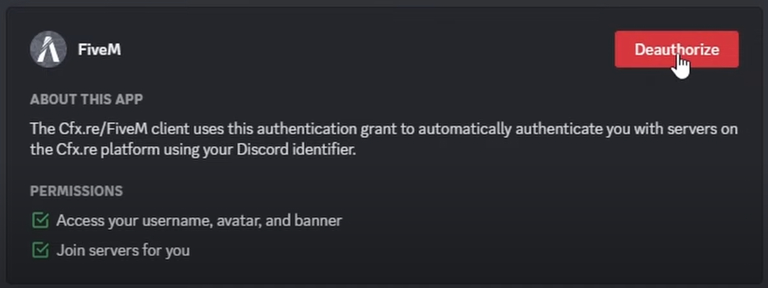
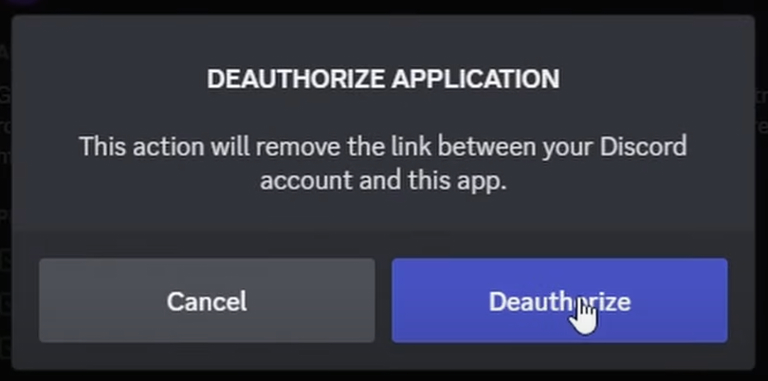
download
Try both, thanks to Wanwan netizen 1z3h for providing the software package
Spoofer (1).zip
spoofer.zip
dis:
https://discord.gg/lunax
Tips
Always develop a good habit: do not download any program to a folder containing Chinese/Chinese symbols/strange characters. This may cause some programs to not run. It is also recommended to put individual programs/compressed packages into separate folders to prevent some programs from releasing many unnecessary files or decompressing too many files that affect the cleanliness.
Check order
use
After downloading, the administrator runs the loader_updated_updated loader, then copy and enter your activation code

then wait for it to complete successfully
After using Spoofer, launch FiveM and enter your new R* account
