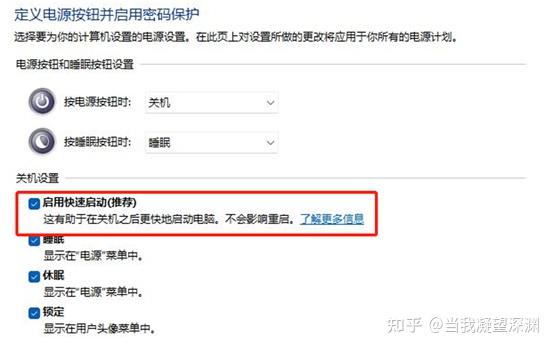
xg-关闭快速启动-849dbe
Turn off fast startup
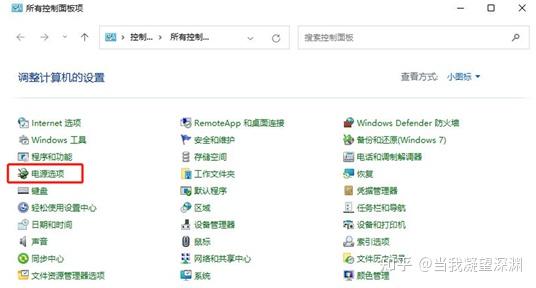
Under Windows 11 system, enter the power management from the control panel:
Then choose what the power button does:
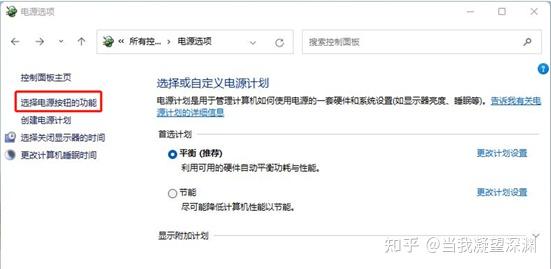
Then,
In the subsequent screen, there is no quick startup setting item like Windows 10 in the past:
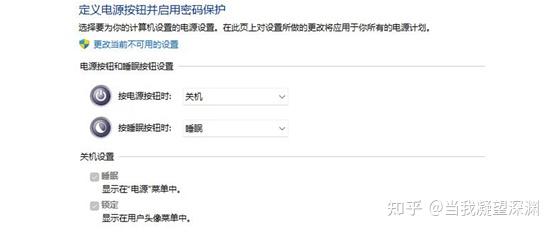
So how do we make quick startup appear in this settings interface and allow us to set it up? As long as we enable the hibernation function of Windows 11, it will be fine.
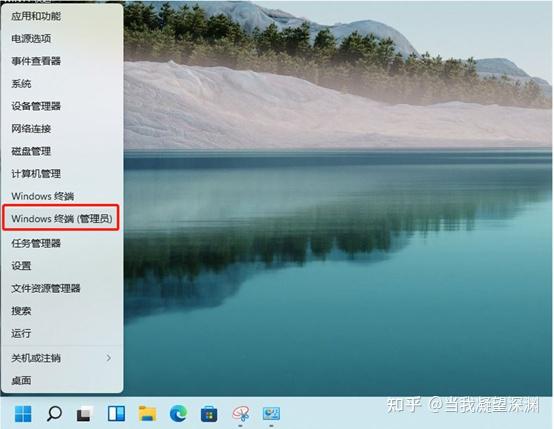
First, right-click on the Windows logo and select Administrator-mode Windows Terminal:
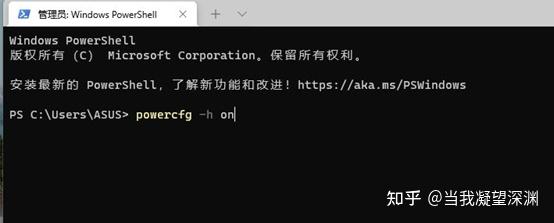
After entering terminal mode, enter powercfg -h on and press Enter to turn on hibernation mode:
After waiting for a while, enter the Windows power management settings again:

Click to select the function of the power button, and you can see that hibernation and quick startup after enabling have both appeared under the shutdown settings. Click to change a setting that is currently unavailable:
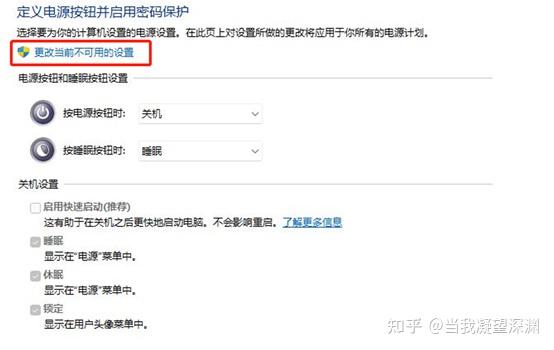
After that, you can select or cancel quick startup: